Start here
Quick Start
New here and wondering how to play or what to do first? Start here. The whole game is one loop. Everything else in this manual is detail on one of these five steps.
- Build & upgrade
Buy Profit Cards and upgrade them. They are what raise your income per hour, and nothing else you do matters as much.
- Claim
Card income collects in each card’s own store, not your balance. Claim before a store fills, or the rest is lost.
- Complete missions
The Mission Hub pays you for playing normally, and its GO buttons are the fastest tour of the game there is.
- Protect your base
Learn what a raid can take and put a shield up before you close the app. Most large losses are a night spent without one.
- Explore
The map, crypto mines, Discover and events are where the game opens up. TiCktrade comes later — it needs a card at level 10.
Getting started
TiCkTOM is a game about building an income, defending it, and turning it into something real. The first three decisions shape everything after them.
You open TiCkTOM inside Telegram or in an ordinary browser — there is nothing to install. You can sign in with Telegram, with Google or with a 6-digit code we email you, so you do not need a Telegram account at all and there is no password to lose. If you already have a TiCkTOM account in Telegram, open Settings in the Mini App and verify your email; after that, Google and email sign-in both land on that same account. Withdrawing tokens, cancelling a withdrawal and connecting a wallet still need the Mini App inside Telegram.
Your planet
New accounts start on TON, one of the three token planets alongside Bitcoin and Ethereum. Each planet has its own map, its own neighbours, and its own crypto in the ground. Orphan is not a starting planet: it is where inactive players are sent.


After 30 days without opening the game, you can be moved to Orphan by another player on your planet, who is paid 500,000 coins for it; you get a free teleport back to TON. While you are on Orphan, almost everything social in the game — appearing in Discover, being found by other players, the busy parts of the map — is closed to you.
Your position
On your planet you occupy a coordinate. Distance is real: who can reach you, who you can reach, and how much a raid is worth all depend on it. You can move later, but treat your first position as a choice rather than an accident.
Your first hour
- Buy your first card. Cards are what produce coins while you are away — nothing else you do in the first hour matters as much.
- Complete the tasks in the Tasks tab. They are the cheapest coins in the game.
- Open the map and look around before you attack anything. Seeing the neighbourhood is free; being seen is not.
- Buy a shield before you go to sleep, not after you are raided.
Playing Without TelegramNew
The game began inside Telegram and still lives there. It is no longer only there: it opens in an ordinary browser, and you can sign in — or start from nothing — without a Telegram account at all.
| Door | What it asks for | Who it is for |
|---|---|---|
| Telegram | Nothing — you are already signed in | Everyone who started in Telegram |
| One tap | A browser, with or without Telegram | |
| A 6-digit code we send you | Anywhere Google will not load |
One person, one account
Telegram and Google know nothing about each other. Telegram never tells us an email address; Google never tells us a Telegram account. So if you already play in Telegram and you sign up with Google, the game has no way to recognise you — it would make a second account, with its own coins, cards and streak. Balances are never merged.
Open Settings in the Mini App and verify your email. After that, Google and email sign-in both land on your real account. If you already made a separate web account, open Settings there and use Connect Telegram — it moves that account onto your Telegram instead of leaving you holding two.
Staying signed in
A web sign-in is good for 30 days, but it ends sooner if you close the tab: on purpose, it is kept only in the tab you signed in from, so a new tab means signing in again. Changing network — different Wi-Fi, mobile data, switching a VPN on — does not sign you out. A sign-in that outlives the tab it was made in is a sign-in somebody else can find on a shared computer.
Your devices
Settings lists every sign-in that is still valid: the kind of device and browser, when it started and when it was last used. Sign one out, or sign all of them out at once. Do that any time you have used a computer you do not own.
Withdrawing tokens, cancelling a withdrawal and connecting a wallet all need the Mini App inside Telegram, however you signed in. Everything else — mining, cards, the map, raids, the market, invites — works from a browser.
Connecting your X account
Your profile's edit sheet has a Connected Accounts row. Connecting X (formerly Twitter) is not another way to sign in — you stay on the account you are already on. It only proves that the handle is yours.
We ask X one question, once: who you are. We never post, never read your timeline, and never see your X password. X's own permission screen mentions reading posts because that is the smallest permission it hands out alongside “who is this account”; it cannot be narrowed further, and we make no such call.
One X account belongs to one TiCkTOM account. If that handle is already connected somewhere else, the game tells you rather than moving it quietly. Disconnect sits in the same row, and disconnecting deletes the handle we stored.
Coins and income
Coins are the game's own currency. They are not crypto, they cannot be withdrawn, and there are a lot of them — but every real thing in TiCkTOM is bought with them first.
Your income is measured as coins per hour, written PPH. It is the single most important number on your screen, and it comes from three places:
- Cards — the main engine, and the only part you control directly.
- Reward Wheel bundles — permanent PPH won on the wheel.
- Gift packages and campaigns — one-off grants.
All three add into the same total. A card upgrade raises it permanently; a wheel win can raise it permanently too. Some boosts are temporary and shown separately — a boost that expires is not part of your base PPH, and the app deliberately keeps the two apart so your real income is never flattered by something about to run out.
Coins stop being produced 12 hours after you go offline (18 with TiCkTOM Premium). Not 24 — twelve. A player who checks in once a day is throwing away half of every day's income.
Profit Cards — Build Your Income
A card is a business you own. It costs coins to buy, more coins to upgrade, and it keeps producing for as long as you keep coming back.
Each card has a level. Upgrading raises both its price and its hourly output, and the output rises faster than you would guess from the price of the first few levels — the early levels of a card are the worst value it will ever offer, which is why upgrading a card you already own usually beats buying a new one.
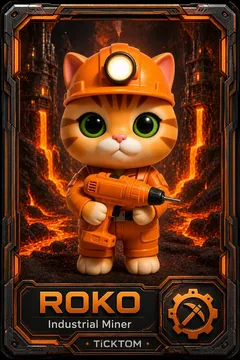
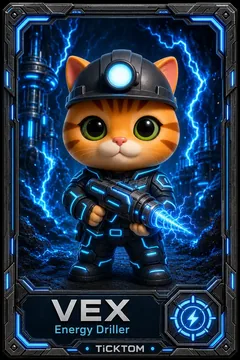
PYRA · VOLT · OREX · SONIX
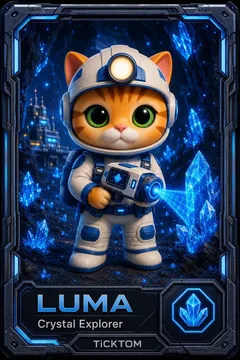
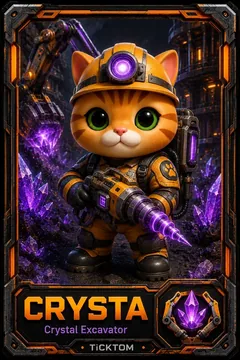
DUST · FROST · ASTRA · SHADE
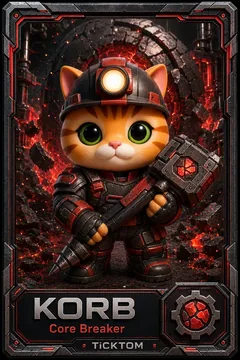
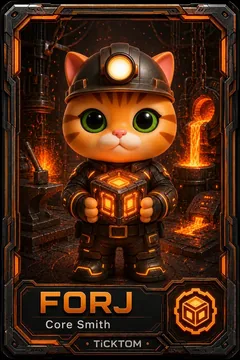
MOLD · RIVT · BOLT · RIGG
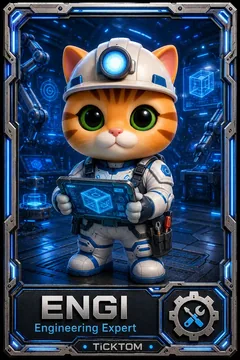
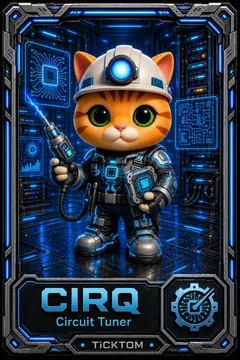
MEKA · NEXA · TRACE · ARCHI
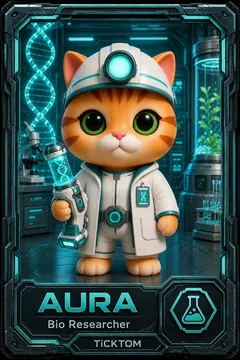
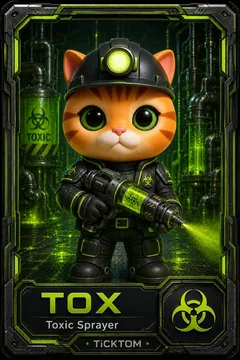
MEDIX · PURE · HAZE · FLORA
Daily Combo
Every day, three specific cards form the Daily Combo. Own or upgrade all three that day and you get a bonus. The combo also feeds the Mission Hub — see section 13.
Card Storage — Claim What You EarnNew
Cards no longer pour coins straight into your balance. Each one fills its own store, and you collect it.
Every card now holds what it has produced since you last emptied it. You can Claim a single card, or Claim all in one tap. Either way, claiming opens only once at least 3 hours of your total production is waiting across all your cards. Each card also tracks its lifetime produced, so you can see which of your cards has actually earned its keep rather than guessing from its level.
Capacity
A card's store is not bottomless. Capacity is 20 × its hourly output — twenty hours of production. Once full, the card stops: anything it would have made is simply lost.
Because production stops at twelve hours offline, a card can never actually reach its twenty-hour ceiling while you are away. In practice the offline stop is the limit that matters — the capacity bar only fills to about 60% (about 90% with TiCkTOM Premium) before the clock beats it.
The practical rule: open the app twice a day and the offline stop never costs you anything. It says nothing about raids — that is what shields are for.
Levels
Your level is set by your coin balance, and it controls how many mines you can hold and what an invited friend is worth to you.
There are thirteen levels. You do not "spend" your way up — the level follows the balance you have reached. Note the fourth column: your level is your mine limit, which is the quietest and most important effect of levelling up.
| Lv | Name | Coins required | Mines | Per invited friend |
|---|---|---|---|---|
| 1 | Starter | 0 | 1 | 37,500 |
| 2 | Novice | 30,000,000 | 2 | 2,000,000 |
| 3 | Apprentice | 100,000,000 | 3 | 4,000,000 |
| 4 | Junior | 500,000,000 | 4 | 8,000,000 |
| 5 | Skilled | 1,000,000,000 | 5 | 15,000,000 |
| 6 | Adept | 3,000,000,000 | 6 | 25,000,000 |
| 7 | Advanced | 10,000,000,000 | 7 | 40,000,000 |
| 8 | Proficient | 30,000,000,000 | 8 | 65,000,000 |
| 9 | Expert | 60,000,000,000 | 9 | 100,000,000 |
| 10 | Master | 90,000,000,000 | 10 | 150,000,000 |
| 11 | Elite | 120,000,000,000 | 11 | 240,000,000 |
| 12 | Legend | 300,000,000,000 | 12 | 350,000,000 |
| 13 | Titan | 1,000,000,000,000 | 13 | 600,000,000 |
Apprentice (level 3) is where the game starts treating you as a real player: it is the minimum to appear in Discover's curated sorts, and it is the level your invited friends must reach before they count towards Revenue Share.
The map
Your planet is a grid. Everything on it — players, mines, your own base — sits at a coordinate, and distance decides what is worth doing.
Open the map from Home. You can pan and zoom freely; you are not limited to what you can reach. What you can act on is the same: anything on your planet, with distance only cutting what you take from players and Invaders.
 Your baseWhere you live. Tap it for Instant Shield, Random Teleport and items.A player, onlineActive in the last 400 seconds — an attack on them is refused.A player, offlineRaidable, and not collecting — so there is more to take.
 ShieldedA raid on this one fails. Do not spend an action on it.
 Empty groundNobody there. You can lock or teleport onto it.
 LockedHeld by someone. Not available to take.
 A mineCrypto in the ground. Mining it costs a full action; only Invader raids cost a third.
Distance costs you
A crypto mine pays the same from any distance. A player or Invader next door pays 100%. The further away it is, the less of it you collect, tapering down to a floor of 10% at extreme range. Distance is measured in grid steps, not straight lines — going three across and four up is seven, not five.
The practical consequence: a modest neighbour beats a rich stranger. Players who sit at the centre of a busy area out-earn players who chase the biggest name on the planet.
Raiding — Take From Other Players
You can take coins from other players. They can take coins from you. This is the part of TiCkTOM that has an opponent in it.
What is actually at risk
A raid does not take a percentage of everything a player has ever owned. What sits in the pot is:
- their current coin balance, plus
- the income they have produced but not yet collected, counted back 24 hours,
- minus whatever has already been taken from them in that window.
Your own production stops after 12 hours offline (18 with TiCkTOM Premium), but a raid counts uncollected income back 24. These are deliberately separate numbers. The practical effect: past twelve hours away you have stopped earning, while what a raider can take from you keeps growing for another twelve. Being away is worse than it looks.
Distance then decides how fast you can take it, not how much is there: the coefficient scales your item’s mining power, and the pot caps what that power can reach. A far-away target with a large balance can still be worth less than a neighbour with a small one.
How often you can act
Raids and mine operations share one allowance: twenty actions per two-hour window, or forty if you hold TiCkTOM Premium. When it runs out you wait, or you reset the cooldown from the shop.
Not every action costs the same. Attacking a real player spends a whole one. Raiding an Invader — the coin mines on the map — costs a third, so three Invader raids spend one action between them. Nobody loses coins to an Invader raid, which is why it is priced lower than going after a person. The allowance itself is shared: when it is gone, it is gone for both.
The moment you attack someone, your own shield breaks and you cannot raise a new one for 30 minutes. Raiding is not free — it puts you in the open, and experienced players watch for exactly that half hour.
Revenge
Being raided is not the end of the exchange. A raid on you can grant a revenge opportunity against the player who did it — check your notifications rather than your memory.
Shields — Protect Your BaseUpdated
A shield is the cheapest thing in the game relative to what it saves. Most large losses are not bad luck; they are a night spent without one.
Shields are bought in the shop and come in tiers. The cheap ones cost coins and last six to twelve hours; the longer ones hold for a full day, three days or a week. While a shield is up, raids against you fail.
| Tier | Paid with | Typical duration |
|---|---|---|
| TiCkShield Iron | Coins | 6–12 hours |
| TiCkShield Titan | USDT | 24 hours |
Fifty-five shield variants exist across the price range, so the shop shows you what your level and balance can actually reach rather than the whole catalogue.
Instant Shield — bought for the moment, not from a shelf
Tap your own base on the map and one of the three options is  Instant Shield:
two hours of protection, bought right there, with no item to find in the shop first.
Instant Shield:
two hours of protection, bought right there, with no item to find in the shop first.
Its price is worked out for you, at that moment, from two things:
- 1% of your hourly income per hour of cover, and
- 0.05% of your coin balance per hour of cover.
Both matter, and the balance term usually dominates — a stored balance is typically many times an hour's income, and it is the balance a raider actually takes. A player with nothing saved pays almost nothing; a player sitting on a fortune pays in proportion to what the shield is protecting. You can pay in coins, USDT or Telegram Stars, at 10,000,000 coins = 1 Star = 1 cent, with a floor of one Star.
Three a day, and never a second one while the first is still running. The price is re-checked every time you open the panel, so what you see is what you pay.
Instant Shield obeys the same rule as every other shield: for thirty minutes after you attack somebody, you cannot raise one. The panel will tell you so rather than failing silently.
Random Teleport
The second option on your own base. One tap moves your base somewhere else on the map for a coin price that depends on your level — 50,000 at level 1, doubling each level. It is not truly random: the game places you where there is actually something to raid, rather than dropping you in empty space. Three a day.

Two protections you already have
Neither is a shield you buy, and neither is enough on its own.
Being online. If you have done anything in the last 400 seconds, an attack on you is refused outright — the attacker is told “Target is online” and spends nothing. This is why raiders hunt sleeping players: while you keep playing, you cannot be raided at all.
The per-target limit. One player can attack you at most 3 times in any hour. It does not stop a raid and it does not stop several different players; it stops one person emptying you with rapid repeat hits.
Both end the moment you close the app — which is exactly when your store is fullest. That gap is what a shield is for.
Locks and teleports
- Locks hold a position on the map so nobody else can take it.
- Teleports move you somewhere better — closer to targets, or further from one who keeps finding you.
- Transfers move things between accounts you control.
Crypto Mines — Earn Real Tokens
Mines are the part of the map that pays in real crypto rather than coins. This is a different activity from raiding, and confusing the two is the most common beginner error.
 Scattered across your planet are mines holding the planet's token. You claim one, it runs for a
period, and you collect what it produced. Unlike a raid, nobody loses anything when you mine —
you are taking from the ground, not from a person.
Scattered across your planet are mines holding the planet's token. You claim one, it runs for a
period, and you collect what it produced. Unlike a raid, nobody loses anything when you mine —
you are taking from the ground, not from a person.
Raiding a player takes their game coins, costs you a shield, and makes an enemy. Mining takes crypto out of the map, costs nothing socially, and is how the tokens in your wallet actually get there. Both use the same twenty actions — spend them deliberately.
Your mine limit is the reason levelling matters even after your income is comfortable: a Titan runs thirteen mines at once, a Starter runs one.
The Shop — What You Cannot MineNew
Cards produce coins. The shop sells the things coins alone do not get you: crypto mines, shields, teleports, transfers — separately, or bundled together at a discount.
| Paid in | What it buys | Worth knowing |
|---|---|---|
| Coins | Most items on the map | Earned in game, nothing to buy |
| Telegram Stars | Bundles and premium items | Bought inside Telegram |
| USDT | The same bundles | Usually cheaper than Stars |
Crypto being cheaper than Stars is deliberate, not a mistake to report. Telegram takes a cut of everything paid in Stars; paying in USDT skips that cut, and we would rather hand the difference to you than keep the price identical on both.
Bundles get cheaper while they sit
A bundle that is not selling does not wait for you at full price. It opens at 10% off and takes another 5% off every 12 hours, down to a floor of 35%. Stock is limited, and a bundle that sells out comes back 12 hours later — and the new batch starts again at 10% off, so waiting for a sellout does not make it cheaper.
Holding out for the deepest discount is a real tactic, but a selling run ends on a date and the stock is finite. The cheapest price you ever see is the one nobody else bought first.
Reward Wheel — Win Permanent Income
The wheel is the only place in the game where a single tap can permanently change your income.
 Spins are earned through play and can also be bought with Telegram Stars or tokens. The prize
table is genuinely mixed: coins, items, temporary PPH boosts, extra spins — and permanent PPH
bundles, which are the ones worth caring about.
Spins are earned through play and can also be bought with Telegram Stars or tokens. The prize
table is genuinely mixed: coins, items, temporary PPH boosts, extra spins — and permanent PPH
bundles, which are the ones worth caring about.
New players get a generous run of introductory spins, so the wheel is worth learning early while it is cheap.
A PPH boost is a percentage added for a limited time and shown as a separate badge. A PPH bundle is added to your base income and never expires. They look similar on the wheel and are not remotely the same thing.
Mission Hub — Your Daily ProgressNew
A daily and weekly set of goals, with chests you unlock by playing normally rather than by playing differently.
Open it from the button under the map on Home. Inside are two tracks:
Daily
Seven chests along two lines — a free line everyone has, and a premium line. Six unlock as you do the day's things: mine, raid a player, buy a shield or lock, swap a token, spin the wheel, have an invited friend log in. The seventh, Full House, unlocks when all six have. Each chest tells you what it wants and gives you a Go button that takes you to exactly the right screen rather than dropping you in a menu. The whole board resets every 24 hours.
Weekly
A longer list with bigger targets, ending in a final chest whose tier depends on how many chests you opened that week. Miss a day and you can still finish the week.
Keys
 Keys come mainly from the Daily Combo — one per combo card, plus three more for completing all three — the daily Gift Code, and your login streak on days 5 and 9; a few one-off tasks (such as verifying your email) and some gift packages add more. They are what open chests, so the combo and the hub are one system in practice.
An unlocked chest waits seven days for a key, then it is gone. You can see every one you are holding, with its countdown, under Chests on your profile.
Keys come mainly from the Daily Combo — one per combo card, plus three more for completing all three — the daily Gift Code, and your login streak on days 5 and 9; a few one-off tasks (such as verifying your email) and some gift packages add more. They are what open chests, so the combo and the hub are one system in practice.
An unlocked chest waits seven days for a key, then it is gone. You can see every one you are holding, with its countdown, under Chests on your profile.
Leaderboards — Compete and ClaimUpdated
Four boards, each ranking something different. Knowing which is which is the difference between competing and hoping.
| Board | Ranks you by | Resets |
|---|---|---|
| Global | Total standing across the game | Never |
| 24hr | Raid performance over the last day | Daily |
| Weekly | Raid performance, token swaps and crypto-mine earnings over the last 7 days, combined — you need activity in at least two of the three | Weekly |
| Events | The event's own metric | Per event |
The 24hr and weekly boards pay the top finishers a temporary PPH boost. The Events tab shows what is running now and what is coming, with a countdown to the start — so you can be ready for an event rather than discovering it half over. Finished events drop off.
Leaderboard rewards are not credited automatically — you claim them, and they expire. The weekly claim window is measured in days, not hours, but it does close. If you placed, go and collect.
Discover — Meet Other PlayersUpdated
A wall of other players, deliberately built so you cannot use it as a target list.
Swipe left from the top of Home, or tap TiCkbook. You get a grid of players — face, mood, name, level — that you can sort six ways:
- All — everyone active in the last 30 days, newest members first. It sits last in the row (the list opens on Active), and it is the only sort you can scroll to the end of.
- Shuffle — random. Tap it again to re-roll. It draws a fresh window every time, so it will never reach a last row and is not the one to use if you are looking for a specific person.
- Active — who has been online most recently.
- Level — highest first.
- Champions — players who finished top three in an event that paid out.
- New — the newest faces that qualify.
Discover shows nobody's coordinates, coin balance or shield state, and there is no way to sort by wealth. That is on purpose: it is a place to find people, not prey. Tap anyone to open their profile, where their lifetime record, achievements and the Add friend button live.
Each tile shows a player's mood sticker and, if they have set one, their status line — the one thing on the tile they wrote themselves.
To appear in the curated sorts — Shuffle, Active, Level, Champions, New — you need to be level 3 or above, off Orphan, at least two days old, and active in the last week. All drops the level and age rules and widens the last one: it lists anyone off Orphan who was active in the last 30 days, whatever their level and however new their account. That is the point of it.
Mini Games — Play, Nothing at StakeNew
A small arcade from CADINU Labs, our partner. Pick a game, play, see the result.
Three HTML5 games live in the Games tab: Gem Jumper, Sky Fighter and Firefly. They were built by CADINU Labs and run inside TiCkTOM. They are free, they need no coins to start, and you can play them on your own as often as you like, though only a limited number of runs on each game are scored each day.
The screen is one page: the three titles, each with a Play button, and under each the best score so far and who holds it, your own best, and how many runs have been played. There is no way to play against somebody here: Mini Games is solo play only.
More games in CADINU Games. Above the three titles, Join here to play 45 games opens CADINU Games, CADINU Labs' own arcade in Telegram, with 45 titles. It is a separate app with its own account and its own rules: nothing you do there changes your TiCkTOM balance, level or cards. The link tells CADINU Games that you came from TiCkTOM, and we count the taps on the button.
Scores are not paid out. Not yet, and not by accident. A game that runs in your browser works out its own score there, which means a score can be made up without playing — so paying coins against one would simply hand money to whoever looked first.
What is happening meanwhile is measurement. We are watching how the arcade is actually used, and the amounts will be set from what players really did rather than from a guess.
Out of a solo run? Watch a short ad within ten minutes and your score for that run is doubled, once per run. The same ad pays 1,000,000 coins, at most 3 times an hour and 10 times a day. It is offered in solo play only: a doubled score bought in a match is one your opponent never had.
Your level, mines, shields and cards are not affected by anything you do in Mini Games, and the only coins it can move are the ad reward above. Play badly, play brilliantly, or never open it — your score never changes your balance.
Boosting the ChannelNew
Telegram lets a Premium account boost a channel. Boost ours, and keep it up, and the game pays you for it.
The reward is not for boosting — it is for still boosting three days later. A boost taken away before then pays nothing, and a boost already paid for can never be paid for twice. If you hold several boosts at once, each one is counted and paid separately.
There is nothing to claim. When a boost matures, the coins and the spin arrive on their own and the bot tells you they have.
Inviting — Grow Your Network
Nearly four out of five TiCkTOM players arrived through a friend. The invite system pays accordingly.
You get coins four ways when you invite someone:
- On signup — a flat 37,500 coins to you for every new player who joins through your invite on Telegram, whether or not they have Telegram Premium (a Google sign-up pays no signup bonus).
- As they level — a payment each time they reach a new level, from 2,000,000 coins at Novice up to 600,000,000 at Titan (see the table in section 6).
- At milestones — bonus payments at 1, 3, 6, 10, 25, 50 and 100 friends, rising from 25,000 to 30,000,000 coins.
- As they collect — 3% of the card income they claim, paid to you on top rather than taken from them; 4% once 5 of your invited friends have played in the last 7 days, 5% once 15 have. Only your first 25 invites pay it, and it never pays you more in an hour than your own hourly income, if you have one.
The level payments dwarf the signup bonus — a single friend who reaches Titan is worth more than a thousand who sign up and vanish. And only friends who reach level 3 count towards Revenue Share.
Your link works everywhere
The same invite link works two ways. Tapped inside Telegram, it opens TiCkTOM straight to your invite. Opened anywhere else — a text message, a tweet, a browser with no Telegram installed — it lands on a TiCkTOM web page offering Telegram or Google as the way in, so a friend who has never touched Telegram can still join through it. Either door, the same code follows them and the credit for the invite is yours.
The map of your network
Your invites are not a list, they are a map. Everyone you brought in is a bubble, sized and coloured by the level they have reached, joined by a line to whoever invited them. Your own bubble sits at the centre. Bubbles cannot overlap — push one and it shoulders the others aside; drag one and it is the only one that follows your finger. Tap a bubble to see what that person is actually worth to you.
The map runs three levels deep, because your earnings do: the people you invited, the people they invited, and one layer after that.
Wallet — Hold, Swap and Withdraw
Where the crypto side of the game lives. Six tokens, and a route between all of them.
| Token | What it is |
|---|---|
| GRAM | The TON-planet token |
| BTC | Bitcoin |
| ETH | Ethereum |
| USDT | Tether — the stable one, and what most prices are quoted in |
| XAUT | Tether Gold |
| BNB | BNB |
Swap converts one token into another at the current rate, with a fee shown before you confirm. Deposit brings crypto in from outside. Withdraw sends it out to your own wallet.
Token prices refresh every few seconds, and the Star prices derived from them are recalculated roughly every minute. If a number changes between two glances, nothing is wrong; you watched a refresh.
Bringing crypto in
A deposit needs two things to reach your account: the address, and the memo — a short code like TT7K3M9Q that the app gives you when you start the deposit. The address is shared by every player, so the memo is the only thing that says the money is yours. A transfer that arrives without it cannot be matched to anyone.
If you hold your own wallet — Tonkeeper, Phantom, MetaMask — connect it and the app fills in both for you. If your crypto sits on an exchange such as Coinbase, you can still deposit, but only on a network whose withdrawal form has a memo field. TON has one on every exchange. Solana almost never does: there, withdraw to your own wallet first and deposit from it.
The deposit screen has a Buy crypto with a card button. That purchase is between you and the provider, and it lands in your own wallet — TiCkTOM never touches the money. From there you deposit normally.
Taking crypto out
A withdrawal goes to a wallet you have connected and proven — never to an address typed into a box. Connect it once on the withdraw screen and it is remembered; proving it is what stops anyone who reaches your account from redirecting your money somewhere you have never been.
Pick the network carefully. The same asset can exist on several, and a transfer sent on one network to an address that only exists on another cannot be recovered by anybody, including us.
| Asset | Smallest withdrawal |
|---|---|
| Pool-market tokens | $3 |
| Everything else | $10 |
A token that cannot be swapped and has no network fee of its own has no minimum. A fixed fee is taken in addition, shown on the confirmation before you agree to it.
Once submitted, some withdrawals go out straight away and some are checked first. Either way nothing further is needed from you, and you can cancel it from your history right up until it is sent.
After you cancel a withdrawal you cannot start another for 30 minutes. It is not a punishment for changing your mind — it is what stops the same request being created and cancelled in a loop.
Exchange needs a verified email. Withdrawals need a verified email and an account at least 7 days old. Verify yours in the profile — it takes one code, and it is what proves the account is yours if it is ever taken, and the only way we can reach you about your money when Telegram cannot.
Accounts created before 1 September keep full access until 15 September 2026. After that the rule applies to everyone. Withdrawal processing is 3 business days, or 1 with Premium.
TiCktrade — Trade Profit CardsNew
The card market: freeze a card into a deed and sell it to another player at auction, or bid on somebody else's.
Reach it from the button under the map —  the duck with the auction gavel — or from the row
inside your card income panel. The badge on that button counts cards listed since you last opened
it, so it goes back to zero when you look. Your own listings never count.
the duck with the auction gavel — or from the row
inside your card income panel. The badge on that button counts cards listed since you last opened
it, so it goes back to zero when you look. Your own listings never count.
Take a card to level 10 and you can mint it into a deed: a transferable object that carries the card's level with it. Minting freezes the card — it stops producing for you while it is a deed — and the deed can then be listed.
Prices and bids move in fixed steps, and you set them with the − and + buttons rather than by typing — a typed number is the only way to produce a price the game will reject. Tapping moves one step. Holding repeats and speeds up: about two seconds of holding covers a hundred steps, while a short press still moves you a few at a time.
Selling
| Rule | Coins | GRAM |
|---|---|---|
| Minimum start price | 1B | 1 |
| Bid increment | 100M | 0.1 |
| Bid fee | 10M | 0.001 |
Auctions run for 24 hours. A bid in the last 5 minutes extends the clock, so an auction cannot be won by sniping it in the final second. The platform takes 10% of the sale.
Bidding
Placing a bid locks the funds — you cannot spend them elsewhere while the bid stands. Lose the auction and they are released; win it and the card is yours. The small bid fee exists to make spam bidding cost something.
Activating what you bought
Redeeming a deed turns it back into a working card on your account. Two rules:
- If you already own that card, a deed only activates if it is higher than your card, which then rises to the deed's level. At the same or a lower level it is refused, and the deed stays yours to sell.
- An activated card is locked out of the market for 7 days, so a card cannot be flipped between accounts the same afternoon.
Every deed carries its own history — who owned it, what it sold for, and when — behind the History button.
When nobody bids
An auction that runs its full 24 hours without a single bid is not lost. You can put another 24 hours on the clock — and you can do that three times. After the third extension the listing is finished for good: the Extend button disappears, and the deed comes back to you to relist or to redeem.
Card Passport — A Card Anyone Can SeeNew
Every card you own can be shown to somebody who has no account, no Telegram and no intention of installing anything. That is what a passport is: a public page for one card.
Share a card from your card income panel and you get a link. The page it opens carries the card's own artwork, its name, the level it has reached, and what it produces every hour. It opens in any browser, and it previews properly when the link is pasted into Telegram or X rather than arriving as a bare address.
It is built for the moment before somebody is a player — which is also why printed card backs carry a QR code that lands on the same page. Someone holding a physical card can point a camera at it and see what that card does, without being asked to install anything first.
A passport is one card, not your account. Whoever holds the link learns what that card produces per hour. They do not see your coin balance, your wallet, your other cards, your position on the map, or anything else you own.
Friends — Build Safe RelationshipsNew
A mutual link between two players. Nobody becomes your friend without agreeing to it, and friends cannot attack each other.
 Open somebody's profile and tap Add friend. Nothing happens to them until they
accept — a request is an offer, not a fact. It waits at the top of their TiCk Hub → Friends list, where they can
accept or decline. If you both happen to send a request to each other, that counts as agreement and you are
connected immediately.
Open somebody's profile and tap Add friend. Nothing happens to them until they
accept — a request is an offer, not a fact. It waits at the top of their TiCk Hub → Friends list, where they can
accept or decline. If you both happen to send a request to each other, that counts as agreement and you are
connected immediately.
What being friends changes
- You cannot attack each other. Enforced by the game, not by etiquette — the raid is refused.
- You get told when a friend attacks another player (you see only the size of the attack) and, if that friend has Premium, when their shield runs out, so you can gift them one. Never where they are, never who they hit. The notification says what happened, not where.
- You can turn those notifications off in Settings; while they are on, you get at most 30 of them a day.
Unfriending is not instant
Because being friends means you cannot attack each other, ending it instantly would be a way to drop a shield the other person did not know they were relying on. So unfriending starts a 24-hour countdown. You stay friends — and stay unable to attack each other — for the whole of it, and you can cancel at any point before it runs out. The other player sees the countdown too.
The number over Friends on the home card counts requests waiting for your answer. Requests you have sent are waiting on somebody else, so they are not counted — a badge should only ever mean "there is something for you to do".
TiCk Hub — The Social SideNew
Everyone you know, in one screen. Four tabs: Friends, Enemies, Activity and Discover.
Reached from the HUB button on the home card. It used to be a menu standing in front of screens you could already open; now it is the screen itself.
Friends
Everyone you are connected to. Requests waiting for your answer sit at the top of the same list with Accept and Decline on the row — they are no longer a tab of their own, so a request cannot sit unanswered somewhere you were not looking. The number on the Friends tab counts exactly those. Requests you sent are at the bottom under a line, where you can take one back.
Enemies
A declared rivalry, and it takes two: you declare, they accept. Declarations waiting on you sit at the top of this tab with the same two buttons, and the tab carries their count.
It grants nothing. Not a bonus, not a shortcut, not their location, not an attack you could not already make. Every rule that applies to a stranger applies to an enemy. It is a label the two of you agreed to wear — and needing both of you is what stops it being a way to follow somebody who never agreed to be followed.
You cannot be friends and enemies with the same person. Whichever comes second is refused.
Activity
The last two days of what happened to the people you know: who was raided and for how much, who shielded whom, and who you newly became friends with.
The attacker is never named. Your friends are told the size of a raid you launched and never who you hit; this is the same rule seen from the other side. Naming both would turn two careful features into one spotting network.
Gifting a friend a shield
On a raid line, tap Shield to see the price, then Gift to pay it. Your friend gets two hours of protection. Nothing is credited to them and nothing comes back to you — you are buying them time, not sending them coin.
The price is worked out from their balance and income, not yours, because what is being protected is theirs. A beginner shielding a whale is quoted the whale's price and usually cannot afford it; that is the design, not a fault.
It is refused when your friend is already shielded — a gift never overwrites protection somebody paid for, and two hours would often be shorter — when they attacked someone in the last 30 minutes (15 with Premium), when they have attacks still running, when you are not friends, or when either of you has blocked the other. Every one of those is the same guard that applies to raising your own shield, applied to them.
Discover
TiCkbook — the wall of faces, browsable, with a request button on every one. The same screen as before, now a tab here.
Only people who are friends with both of you. A shield line says somebody needed help, which is worth knowing and worth misusing — so everyone who can read it is already unable to attack the person it is about.
Mood and Status — Say SomethingNew
Two things other players see next to your name, chosen from fixed lists.
On your profile, open Set your mood & status. Pick an animated sticker for your mood and one line for your status, then press Save — choices are not applied until you do. Tap a selected one again to clear it.
Both are closed lists, which is the whole safety design: there is nothing to type, so there is nothing to moderate, and every phrase can be translated later in a way player-written text never could.
Some status lines are locked until you earn them. A locked one is shown greyed with its requirement — "Reach level 5", "Finish an event in the top 1" — rather than hidden, because a reward nobody can see motivates nobody.
Once set, your mood and status appear beside your name on your profile, on your home card, on your public profile as other players see it, and on your tile in Discover.
Home Slider — What Matters NowNew
One row under the section bar carrying whatever is worth knowing right now.
It shows one card at a time and changes every few seconds: live events with how long is left, the Premium offer if you do not already have it, cards newly listed on TiCktrade, and any announcement the team has posted. The counter in the corner tells you how many there are.

Swipe it to move between cards yourself — doing so pauses the automatic advance, so it will not slide away while you are reading. The × hides the row for the rest of your session; it comes back next time you open the app.
Support — and How to Spot a FakeNew
If something is wrong — a payment that did not arrive, a reward that did not land, a card that behaves oddly — open a ticket. It stays attached to your account, so nobody has to prove who they are twice.
Tickets live in the app: open one, describe what happened, and the reply arrives in the same place. Include what you did and what you expected instead; a ticket that says only "it does not work" costs a round trip before anyone can start looking.
Ask first — and reach a person when automated help cannot solve it
You can ask a question before opening a ticket. In the app it is the first card on the Support screen; on the website it is Support at the foot of the page, and it asks you to sign in first, because support runs on your account. The answers are automated and come from TiCkTOM's published help, with a link to the source when there is one. Every reply is labelled TiCkTOM AI: it cannot see your account, and it never presents itself as a person.
When automated support cannot solve something, it offers Talk to Human Support right there: under a question it decides a person should handle, under any question about your own account, and under a reply you say did not help. Press it and the conversation is handed to a human agent: your question and the automated reply are written into your open ticket, or a new one, and you are taken straight there. You do not type anything twice. In Telegram, /human reaches a person at any time and is always free. In the ticket the automated reply is marked as automated, so you always know which answers came from a person.
AI answers and screenshots — and a person is always free
Answers can now come from an AI model — on the website, on the app's Support screen and in Telegram — and every one is labelled TiCkTOM AI. The model reads only TiCkTOM's published help and the current official numbers. It still cannot see your account, and it is still not a person. Questions about your account, security problems and anything it is unsure about go to a human.
You get free AI answers every day, and the chat shows how many are left. Questions that TiCkTOM's own published answers already cover — exact rules and limits — stay free and do not use them up. Ask again too quickly and the chat tells you how long to wait. When today's free answers are gone, in Telegram 1 Telegram Star buys three more AI answers: the one you just asked and your next two. The price is shown before you pay, and if that first answer does not arrive, the Star is refunded. On the website and in the app, extra AI answers are not on sale yet.
A screenshot often explains a problem faster than words, so you can attach one to a question — JPEG, PNG or WEBP. In Telegram, send the photo in a private chat with the bot; in a group, send it with /tom, with a mention of the bot, or as a reply to the bot. Screenshots are used to answer your question and are not kept. If one shows a recovery phrase, private key, password or login code, automated support will not repeat it and will tell you to treat that secret as exposed — assume someone else has seen it. In a private Telegram chat it also tries to delete the photo.
In Telegram, /human is always free and always available, whether or not you have AI answers left. In the app and on the website, Talk to Human Support is offered when automated help cannot solve your question, after you say a reply did not help, and on questions about your account.
What TiCkTOM AI remembers — and how to delete it
So you do not have to explain the same problem twice, TiCkTOM AI keeps a short support memory: the issue that is still open, what was already tried and whether it helped, and how your last question was resolved. Anything that looks like a recovery phrase, private key, password or login code is not stored in it. To see it, open the Support Center — the app's Support screen — and tap Your support memory.
Delete my support memory removes it once you confirm; your tickets are kept. If you do nothing, it is deleted automatically 90 days after your last support activity, or up to 365 days where an extended tier applies.
Not your wallet's seed phrase. Not a private key. Not a password, and not a login code we emailed you. There is no situation — no verification, no prize, no "account check", no urgent fix — where real support needs any of them. Anyone asking is stealing from you, whatever name is on their profile picture.
Real support never messages you first. If a "TiCkTOM agent" opens a chat with you out of nowhere, that is not us — open a ticket in the app and ask there.
Providing LiquidityNew
This is built and documented, but not switched on. The buttons for it show “Coming soon”, and the server refuses the request even if you reach the page another way. Read it now so you are ready; nothing here works today.
Some tokens are not priced from a market feed. Their price comes from a pool, and the pool is funded by the project behind the token — not by TiCkTOM.
Where the price comes from
Most assets here are priced from a real exchange. A new or partner token often has no honest feed to read, so instead it gets a pool: two piles of tokens sitting side by side. Buying one side makes it scarcer and its price rises; selling does the opposite. Nobody sets that number — trading discovers it.
Who funds a pool
The token's own project does. This matters to you as a player: a trade is settled out of what the project put in, so if a pool runs dry, trades simply stop. They never quietly draw on TiCkTOM.
Providing liquidity yourself
On the website, Exchange → Market → Provide liquidity lets you add to a pool. You put in both sides at the pool's current ratio and receive a share of it. Every trade pays a fee. Your part of it is held apart from the pool and claimed separately — it is not added to your share.
Two things to understand before you do:
- Only the matching amounts are taken. A pool accepts both sides in its own ratio. If you type more of one than fits, the extra stays in your balance — it is never swallowed.
- You do not get back the same two amounts. As people trade, the pool sells whichever side is rising and buys whichever is falling. You get your fraction of whatever it holds when you leave; the fees you earned are claimed separately and stay yours. If one token moves a long way, that can be worth less than simply having held both.
Getting out
Withdraw any percentage at any time. There is no lock-up and no minimum you have to leave behind — the last provider out can take everything they own.
Asking for a market
If you run a token project and there is no pool for your token yet, you can request one from the same screen. We review every request by hand — a pool decides the price of an asset players hold and withdraw, so it is not automatic. If it is approved, you fund the pool and you keep the fees it earns. TiCkTOM puts nothing in.
The amounts you propose set the opening price, so check them twice: seeding 1,000,000 of your token against 100 USDT says your token is worth a hundredth of a cent, and the pool will believe you.
Pools do not talk to each other
Each pool is its own market. One side of every pool is a stablecoin such as USDT. If token A has a pool against USDT and token B has one too, that does not create an A/B trade — there is no routing between pools and no automatic rebalancing. A token can sit in more than one pool and be worth slightly different amounts in each; some tokens are deliberately limited to a single pool for exactly that reason.
A token made through Creating a Token (30) prices itself from a launch curve, not a project-funded pool, and does not support adding or removing liquidity yet — not even once this feature opens for everything else here. See that section for how those tokens work.
Creating a TokenNew
Anyone who has been here a day can list a token, in seconds, with nobody reviewing it first. That is deliberate — and it is why the rules on the other side of it are strict.
What you need
- A verified email and a verified phone number.
- An account at least 24 hours old.
- A name, 2–40 characters.
- A symbol, 2–5 letters or digits, not already taken by another token.
The creation fee, the opening-purchase minimum and the starting market cap below are set on TiCkTOM's side and can change without a client update — the create screen always shows exactly what it is asking of you. What does not change is the mechanic itself: the fixed supply, the launch curve, and the moderation states further down.
What it costs, currently
10 USDT to list it — taken the moment it lists, and not refunded whatever happens afterwards. Then an opening purchase of at least 10 USDT, currently: your own money, spent as the very first buy on your token's own price curve.
An optional information page — a description, a website link, a Telegram link — is a further 40 USDT, paid once, at creation.
A logo is optional, and free. Add it while you create the token: upload any photo or image, any shape, up to 10 MB, and TiCkTOM centers it, crops it to a square and resizes it to 256×256 — nothing to pre-crop or shrink yourself. You get exactly one upload per token, at creation; there is no changing it afterwards.
Every token launches at a 1,000 USDT market cap; your opening purchase (currently at least 10 USDT) is the first buy on its price curve. That starting cap — 1,000 USDT currently — is set on TiCkTOM's side and is the same for every token made this way; it is not extra money you owe on top of your opening purchase, and not something you fund or control.
What you get
A fixed supply of 1,000,000,000 tokens. Not adjustable, not mintable later, the same for every token made this way. Your token is paired against USDT and nothing else. Your opening purchase buys real tokens at the curve's price, exactly like any later trader's buy — the tokens it buys land straight in your own wallet, and that is the only balance you start with; nothing is minted to you for free.
You can always sell back down to the launch price. The same curve that priced your opening purchase still prices every sale afterwards, all the way back down to where the token began — it never runs out the way a quiet token's buy side can.
Adding or removing liquidity is not yet available on tokens created this way. Providing Liquidity (29) is a separate feature, built for pools that other projects fund directly — it does not apply here yet.
Half of that fee would normally be set aside for liquidity providers to claim; a token created this way has none, so TiCkTOM keeps that half too, for now. The other half is TiCkTOM's regardless. This is the same on every pool — there is no per-token rate to negotiate.
Buy, sell, and where you can do it
Trading stays inside TiCkTOM's own exchange, against USDT — a token created this way never touches an outside chain. Creating a token and trading one both work the same way in the Telegram Mini App and on the web; neither door treats it differently.
An existing token, already on a chain
Listing a token that already exists on TON, Solana or an EVM chain is a different request: it costs 60 USDT and always goes to a person for review. Nothing lists automatically when real contracts and real holders are involved. The optional information page costs the same 40 USDT either way.
What happens if a token misbehaves
Nobody checks a new token before it lists, so the check happens afterwards, and anyone can report one. Reporting does not pause trading — if it did, a few coordinated reports would be a cheap way to freeze a rival. A person looks, and then one of five things is true:
| State | What it means for you |
|---|---|
| Live | Nothing has happened. |
| Warned | A notice appears on its page. Trading is untouched. |
| Hidden | Gone from browsing and search. Holders can still trade it. |
| Suspended | Trading is paused entirely. |
| Removed | Delisted for good. Buying stops — selling still works. |
Delisting a token is TiCkTOM deciding not to present it any more. It is not a reason to keep your money where you cannot reach it. Suspension is the single state that stops a sale, and it exists for the case where letting trading continue is itself the harm.
Common mistakes
The things that cost regular players the most, in the order we see them.
Checking in once a day
Production stops twelve hours after you go offline, so a single daily visit leaves roughly half a day of production unearned. Checking in roughly every 12 hours is what avoids that loss — two visits an hour apart do not help, because it is the gap that matters, not the count.
Sleeping without a shield
The cheapest coin shield costs a fraction of what an overnight raid takes. Buy it before you close the app, not after you see the notification.
Attacking, then walking away
Your shield breaks when you attack, and you cannot raise a new one for thirty minutes. If you are going to raid, raid at the start of a session, not at the end of one.
Chasing the biggest target
Distance cuts your take down to as little as a tenth. The rich player across the planet is usually worth less than the ordinary one next door.
Buying new cards instead of upgrading
The first levels of any card are its worst value. Deepening a card you already own almost always beats widening your collection.
Leaving leaderboard rewards unclaimed
They are not automatic and they expire. Placing and not collecting is the single most common way players lose something they already won.
Inviting quantity over quality
A friend who plays to level 13 pays you tens of thousands of times what a friend who signs up and leaves does — and only friends who reach level 3 count towards Revenue Share.
Legal & Policies
Every TiCkTOM policy in one place, at Legal & Policies on the website
(/legal). Each document says in one line what it covers and when it was last updated.
- Terms of Use — who may play, what an account is, virtual items, purchases, and what happens if the rules are broken.
- Privacy Policy — what is collected while you play, why, who receives it, how long it is kept and the choices you have, including what TiCkTOM AI and support memory keep.
- Identity Verification — the optional identity check: what it is for, who performs it, what TiCkTOM receives and what it never receives.
- Withdrawal Rules — what has to be true before money leaves, the limits that apply, and what happens when a request is held for review.
- User-Created Token Policy — who may create a token inside TiCkTOM, what it costs, how its price is set and when it can be removed.
This manual explains how the game works; the policies are the rules. Where the two disagree, the policy applies.
This manual in the app
The Field Manual opens inside the game, so you do not have to leave the app to read it
(/manual).
It is this same document, with the same contents, search and language switcher. A support answer's Read more link and the help chat's What can I do here? card open it at the section they came from.
Links inside it stay in the app: a link to another section changes the page, a link to a game screen takes you there, and only a real outside link opens outside. Ask AI opens TiCkTOM AI on top of the manual, so you can ask about what you are reading.
The Player guide (/guide, opened from Home) lists every chapter of this
manual in your language, and a chapter opens the manual right there. The Player guide
button at the top of the manual takes you back to it.